DETERMINISTIC RISK

Make Risk The Rule That Ends The Debate

Check the account limits before conviction takes over. Portfolio capacity, correlation, drawdown controls, and protective rules determine how much additional exposure is allowed.

PAPER MODE · LIVE OFFREAL CAPITAL OFFAI execution authority · NoneAI risk authority · None
TradeProcess AI illustrative risk check.
Simulated product view · Risk Check

WHY THIS MATTERS

A good setup cannot widen server-owned risk limits. Deterministic controls remain authoritative.

THE PROBLEM

A Good Setup Can Still Be The Wrong Amount Of Risk

A strategy can look great while the account is already carrying too much exposure, drawdown is getting worse, or another protective control is active. When risk arrives late, the limit starts to feel negotiable.

WHAT CHANGES

Make The Boundary Visible Before Exposure Increases

See the boundary, current use, restriction, and next safe action as a separate decision before PAPER exposure can increase.

THE GOAL

Make the boundary for additional exposure explicit and deterministic by combining the configured risk envelope, current portfolio usage, correlation capacity, drawdown posture, and protective/runtime controls before simulated exposure can increase.

THE INPUTS

See The Limits Before The Candidate Reaches Them

The risk decision depends on more than one trade. It checks your configured limits, current portfolio use, shared correlation capacity, drawdown controls, and current safety state.

INPUT / EVIDENCE

Configured risk envelope

Risk-per-trade, exposure limits, automation constraints, and other server-owned policy values define the maximum boundary the workflow may use.

INPUT / EVIDENCE

Current portfolio usage

Existing exposure and account equity determine how much of the total portfolio risk budget is already consumed.

INPUT / EVIDENCE

Correlation-group capacity

Related positions can compete for shared budget, preventing several individually small trades from silently becoming one concentrated risk.

INPUT / EVIDENCE

Drawdown and runtime safety state

Adaptive posture, stale-data state, reconciliation state, halt semantics, and protective controls can only maintain or reduce the effective boundary.

WHAT YOU GAIN

Know The Limit Before A Strong Setup Makes It Seem Negotiable.

See the boundary, current use, restriction, and next safe action as a separate decision before PAPER exposure can increase.

  • Understand why a candidate is allowed, reduced, or blocked in plain language.
  • See portfolio capacity instead of judging every setup as if it were the only trade.
  • Keep drawdown and protective controls visible when they change the answer.
  • Know that AI confidence cannot override server-owned risk authority.

HOW IT WORKS

Risk Gets The Final Say Before Exposure Grows

The requested risk meets portfolio capacity, drawdown restrictions, and protective controls before the final allowed exposure is set.

  1. 01
    Establish the requested risk

    The candidate arrives with a requested exposure that must remain inside the configured risk envelope.

  2. 02
    Allocate portfolio capacity

    Global and correlation-group budgets determine whether the request is fully allocated, partially allocated, or blocked because capacity is exhausted.

  3. 03
    Apply adaptive restrictions

    Drawdown or deteriorating operating conditions can move risk posture from normal toward caution, defensive, capital-preservation, or halted states. Restrictions are monotonic: they do not expand the base envelope.

  4. 04
    Enforce protective state

    Stale data, reconciliation problems, entry/order halts, and protective exit rules can block new exposure while preserving safety actions such as deterministic reduce/close paths.

FEATURES IN DEPTH

Each Risk Control Protects A Different Part Of The Account

Your configured limits set the ceiling, portfolio budgets track shared capacity, drawdown controls reduce what is allowed, and protective controls block unsafe increases in exposure.

TradeProcess AI illustrative risk check.

SUBFEATURE 01

Risk Check

See risk as its own stage before simulation. The result shows whether the setup fits the verified boundary and what happens next if it does not.

WHAT IT DOES

Present the risk decision as a distinct gate between strategy evidence and simulation.

WHAT YOU SEE
  • Allowed/reduced/blocked decision
  • Reason for the restriction
  • Next safe action when exposure cannot advance as requested
WHY IT MATTERS

Making the gate visible discourages users from treating risk as a suggestion that can be negotiated after they already want the trade.

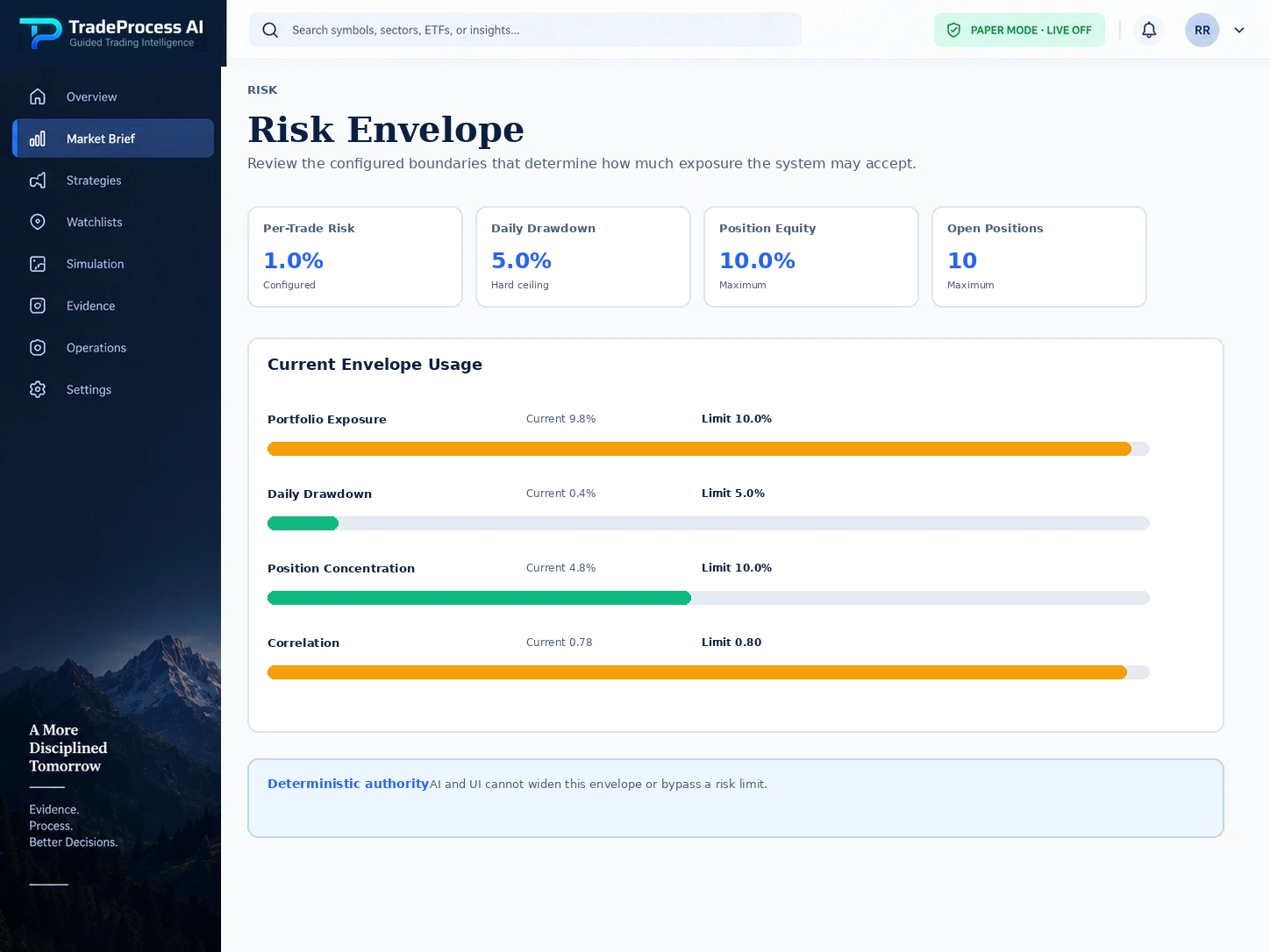
TradeProcess AI illustrative risk envelope.
PAPER MODE · LIVE OFF
PRODUCT VIEWRisk Envelope

SUBFEATURE 02

Risk Envelope

Keep configured limits visible so a strong strategy result cannot quietly widen the permitted boundary. Current values and unavailable state stay distinguishable.

WHAT IT DOES

Define the maximum server-owned boundary within which the platform may operate.

WHAT YOU SEE
  • Configured policy limits
  • Effective values when safety restrictions are tighter
  • Unavailable/non-exposed state instead of fabricated values
WHY IT MATTERS

The envelope separates strategy attractiveness from permission to take risk.

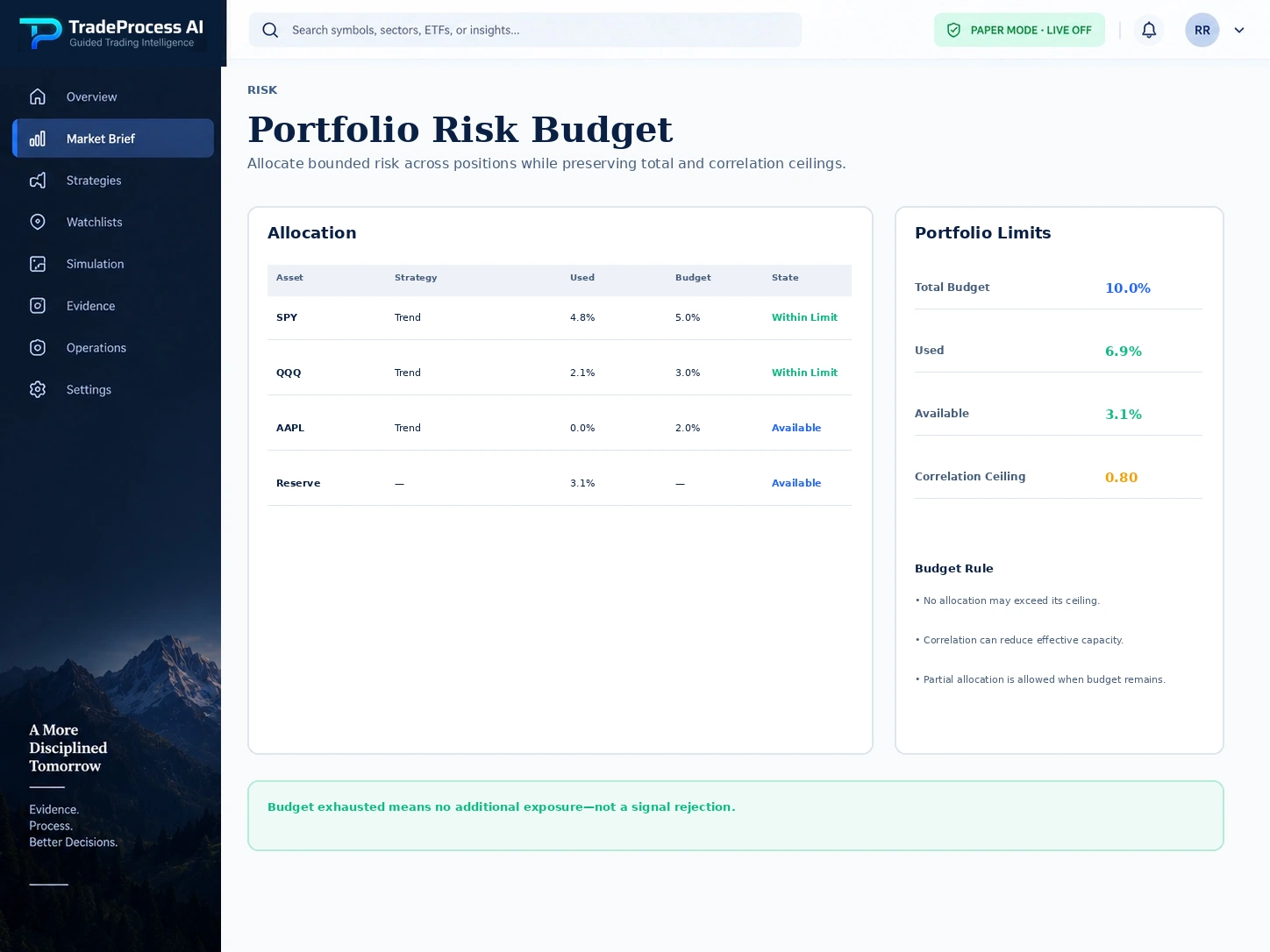
TradeProcess AI illustrative portfolio risk budget.
PAPER MODE · LIVE OFF
PRODUCT VIEWPortfolio Risk Budget

SUBFEATURE 03

Portfolio Risk Budget

See how much shared risk capacity is already being used before another simulated position is added. Related positions can compete for the same budget even when each trade looks small on its own.

WHAT IT DOES

Allocate risk across the whole portfolio and correlation groups instead of sizing every candidate in isolation.

WHAT YOU SEE
  • Requested versus allocated risk
  • Remaining total capacity
  • Correlation-group capacity and exhaustion reasons
WHY IT MATTERS

Multiple small positions can create one large correlated exposure. Shared budgets make that concentration explicit before it grows.

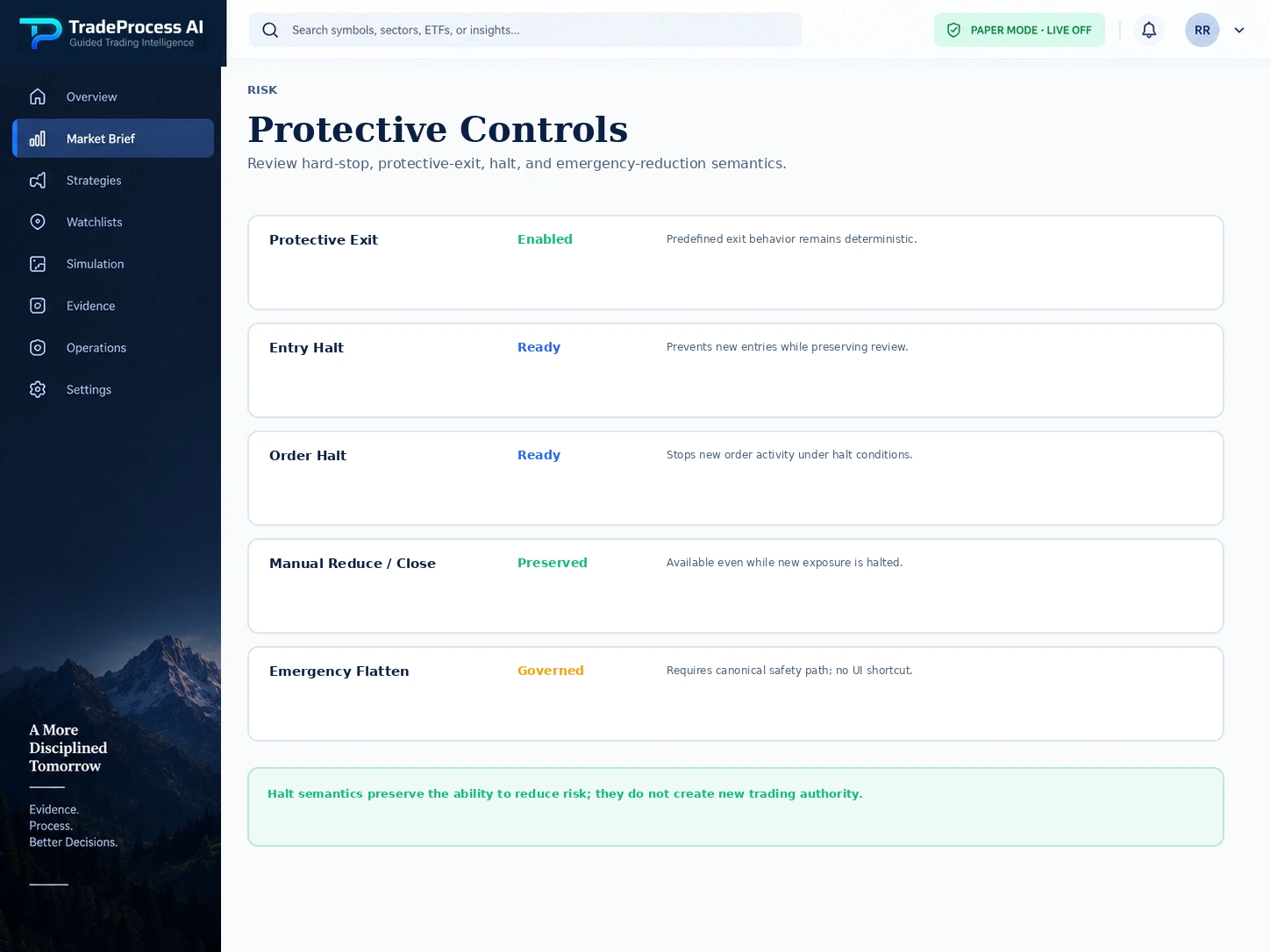
TradeProcess AI illustrative protective controls screen.
PAPER MODE · LIVE OFF
PRODUCT VIEWProtective Controls

SUBFEATURE 04

Protective Controls

Keep halt, stale-data, reconciliation, and de-risk controls explicit and server-owned. They are safety rules, not suggestions an AI explanation can talk around.

WHAT IT DOES

Keep halt, stale-data, reconciliation, protective-exit, and de-risk behavior in the deterministic control plane.

WHAT YOU SEE
  • Current protective state
  • Reason new exposure is restricted
  • Safety actions that remain available
WHY IT MATTERS

Protective behavior should continue working when intelligence is wrong, data is degraded, or normal automation is halted.

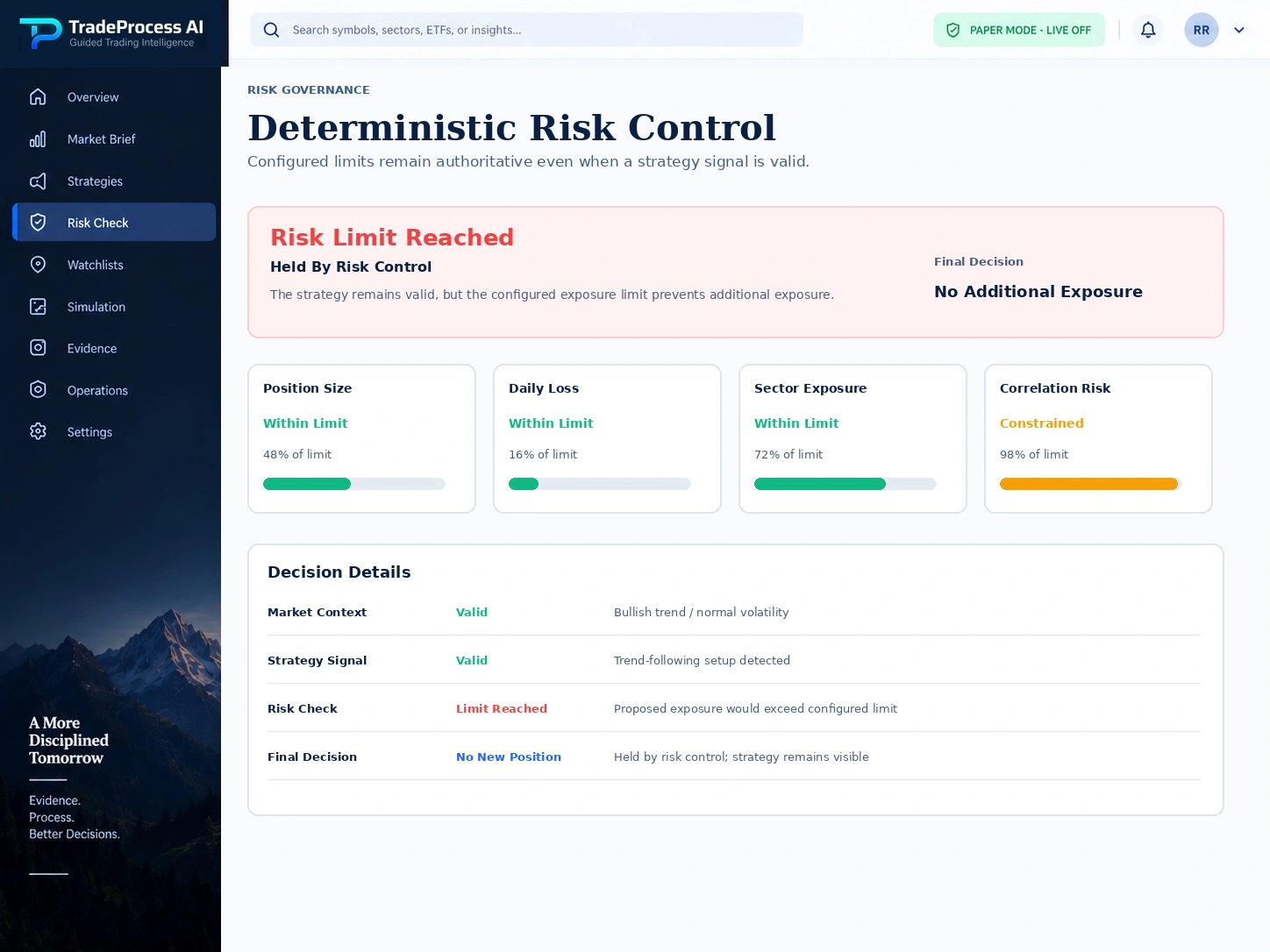
TradeProcess AI illustrative deterministic risk control.
PAPER MODE · LIVE OFF
PRODUCT VIEWDeterministic Risk Control

SUBFEATURE 05

Deterministic Risk Control

See why the risk restriction remains final even when the intelligence still looks positive. The system can explain the boundary; it cannot override it.

WHAT IT DOES

Make the authority hierarchy visible: advisory intelligence can inform a decision, but only deterministic controls determine the permitted boundary.

WHAT YOU SEE
  • Current control posture
  • Authoritative safety decision
  • Explanation that does not modify the decision itself
WHY IT MATTERS

The platform remains predictable under stress because the same deterministic rules are evaluated regardless of how persuasive an AI explanation sounds.

PRACTICAL USE CASES

The Moments When A Good Trade Idea Still Has To Stop

This is where risk earns its place: a convincing setup can still meet an exhausted budget, worsening drawdown, out-of-date data, or another hard restriction.

SCENARIO 01

A strong setup arrives when the portfolio budget is exhausted

Even if strategy evidence is positive, the portfolio allocator can return no additional risk because total or correlation-group capacity is already consumed. The correct result is a block, not a larger limit.

SCENARIO 02

Drawdown worsens while strategies still look attractive

The adaptive controller can shift toward a more defensive posture and reduce effective risk ceilings. Strategy confidence does not reverse that restriction.

DEEPER PLATFORM COVERAGE

See What Your Risk Limits Allow Right Now.

See how drawdown controls, automation limits, and your requested settings affect what the system actually allows.

  • Drawdown Control
  • Automation & Risk Configuration
  • Automation Level

HOW IT CONNECTS

Risk Decides What The Account Can Actually Carry

Research can support the idea and PAPER Trading can simulate what is allowed. Risk decides whether additional exposure fits your verified limits.

Decision Intelligence

Supplies evidence about the candidate, but cannot widen the deterministic risk boundary.

PAPER Trading

Receives only the exposure permitted by the effective risk decision and current execution-control state.

Evidence & Review

Records why exposure was allocated, reduced, or blocked so later review can distinguish risk discipline from trade outcome.

LIMITATIONS & BOUNDARIES

Risk Controls Can Limit Exposure. They Cannot Eliminate Market Risk

Deterministic controls can reduce or block exposure, but markets can still gap, data can degrade, and simulated results can differ from real execution.

  • Risk controls reduce or block exposure; they cannot eliminate market loss or guarantee a profitable outcome.
  • Positive expected value, high AI confidence, or a higher commercial tier cannot silently widen server-owned safety limits.
  • Unavailable or stale safety-critical state may result in a more restrictive decision instead of an optimistic default.
  • Requested user settings are not necessarily the effective settings when platform or safety ceilings are more restrictive.

SAFETY BOUNDARY

Nothing On This Page Can Override The Deterministic Risk Boundary

AI execution authority
None
AI risk authority
None
Deterministic risk controls
Authoritative
Customer live broker execution
Off
Manual reduce / close during halt
Preserved

CAPABILITY QUESTIONS

Questions About Limits, Halts, And Protective Controls

These answers explain how portfolio budgets, drawdown controls, configured risk limits, and halt rules shape what the system will allow.

Why would the system partially allocate a trade?

The requested risk can be larger than the remaining total or correlation-group budget. A partial allocation preserves the portfolio boundary instead of treating every setup as independent.

Can AI override a risk block?

No. AI execution authority is none and AI risk authority is none. It can explain the block, but deterministic server-owned risk remains final.

What happens during a halt?

New exposure can be blocked while safety-oriented reduce/close behavior remains preserved according to the deterministic execution-control state.

Does this capability change the PAPER / live-off boundary?

No. Customer execution remains PAPER / simulation and live broker execution is off. AI remains advisory and deterministic server-owned safety controls remain authoritative.

GUIDED TRADING INTELLIGENCE

Keep Your Risk Limits Stronger Than Your Conviction.

Keep your risk limits visible and enforced before the system allows any additional simulated exposure.

Create your workspaceExplore other features
PAPER MODE · LIVE OFF · Customer live broker execution is off.